Why Magento GraphQL requests waited on Redis
Redis session locking protects shared session data while a request uses it. When several requests from the same browser enter session-handling code, they can end up waiting for the same lock. In this case, cacheable GraphQL GET requests were reaching session code through dependencies they used.
Matt Johnson documented the problem in issue #34758 in December 2021. For my April 2026 investigation, I prepared a Playwright scenario that sent concurrent GraphQL requests and checked their response times. We confirmed that the test failed before changing the application code.
The test gave us a repeatable way to compare behavior before and after each change.
How frontend and backend logs helped
A slow browser request tells you where a user feels the problem. It does not tell you which PHP dependency opened a session, or why several requests are waiting on each other. Source code helps identify possibilities; instrumentation helps test which of those paths actually ran.
For this workflow, I use Magento Seq to send local browser and backend events to Datalust Seq. Seq MCP lets the connected agent search those structured logs and query them with Seq SQL from the IDE.
- 01 / REPRODUCEBrowser or test
Trigger the behavior and identify the run.
- 02 / OBSERVEApplication → Seq
Record selected frontend and backend events.
- 03 / INVESTIGATEIDE MCP → agent
Query evidence and revisit the source.
- 04 / VERIFYChange → rerun
Compare behavior, review, and repeat.
Full-stack instrumentation is useful when it connects these perspectives. Add a shared request or test-run identifier where you need correlation: the action in the browser, the GraphQL operation, and the backend probe can then be investigated together. The modules do not automatically instrument every dependency or propagate every identifier; those connections must be designed.
What Magento Seq and Seq MCP do
I built Seq MCP to connect AI assistants to Datalust Seq through the Model Context Protocol (MCP) server bundled with IntelliJ IDEA and compatible JetBrains IDEs. Magento Seq supplies the local application events.
Magento Seq
The Magento module forwards Monolog records and supports custom PHP and JavaScript events. I use it to place focused probes around the behavior under investigation. It is intended for local development only.
Seq MCP
The JetBrains plugin exposes Seq search, SQL, signals, and dashboard tools through the IDE’s bundled MCP server. An assistant can query the available events and link its findings back to Seq.
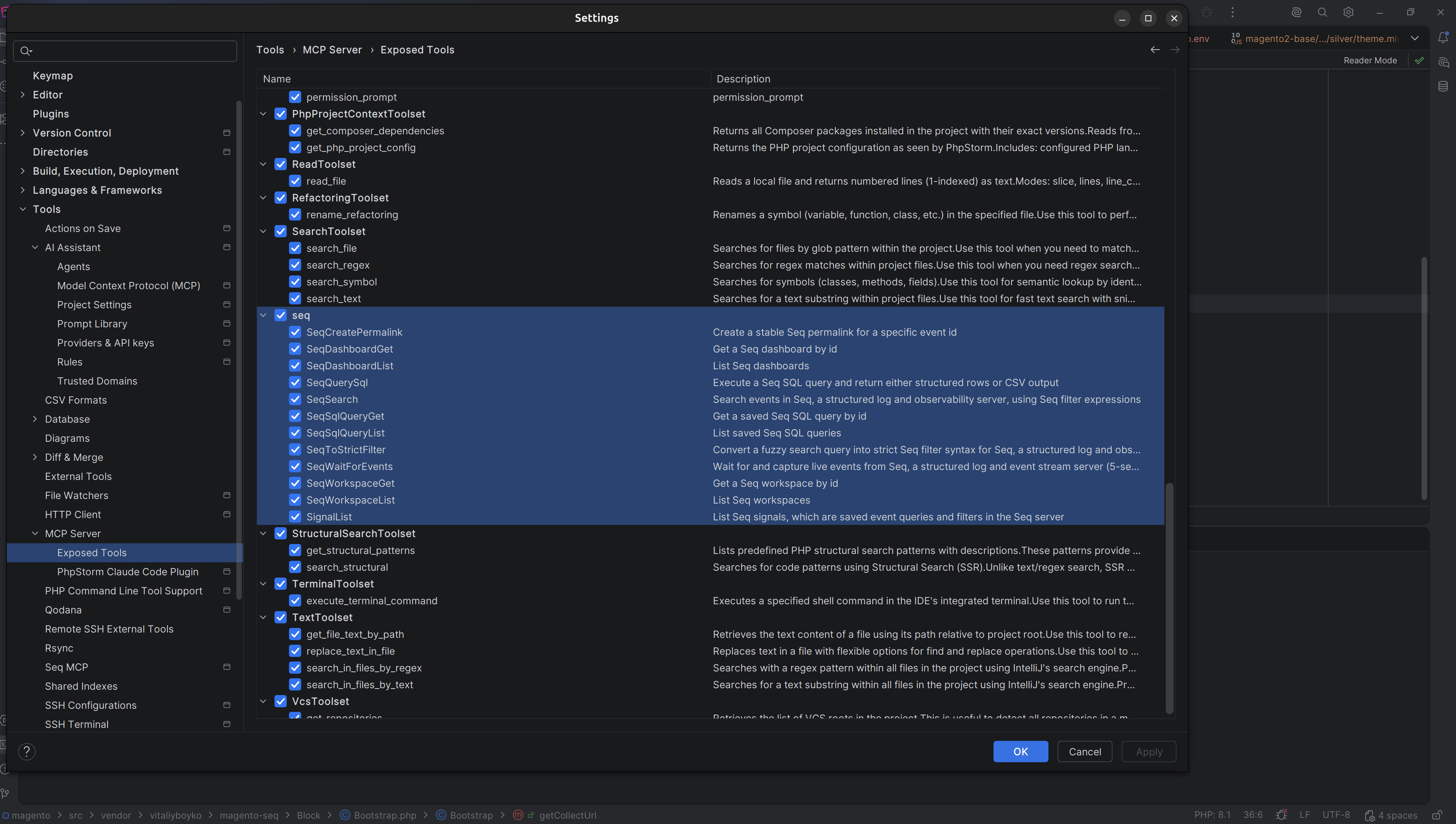
To use it, connect your assistant to the IDE’s MCP server and configure the plugin for your project with a reachable Seq instance. Stored API keys use JetBrains Password Safe. Seq is installed separately.
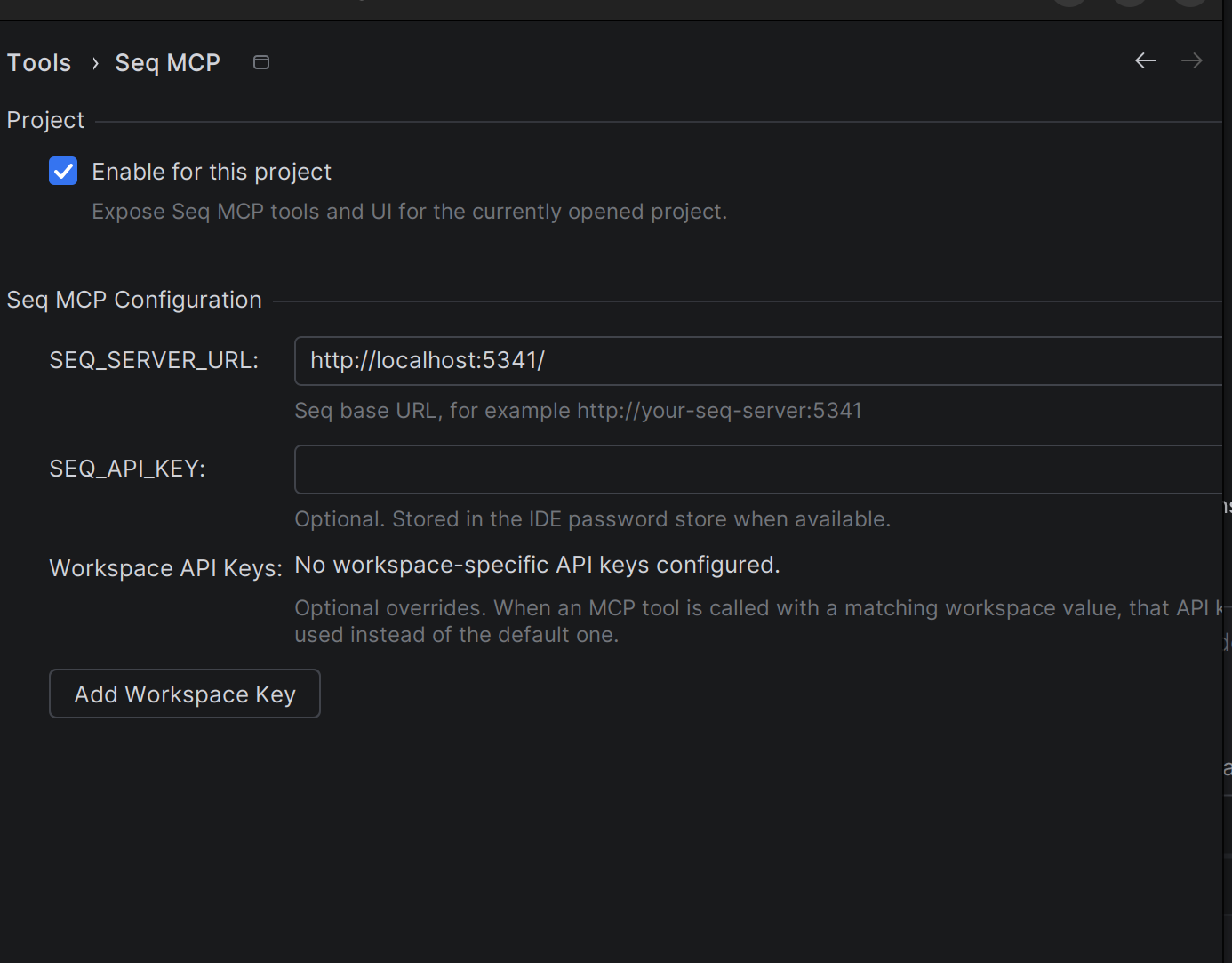
The two projects are independent. Seq MCP also works with logs from other applications; Magento Seq events can be explored directly in Seq. See the current IDE requirements and setup instructions in the repository.
Why the first fix failed
I split the work into investigation, proposed approaches, and implementation. The agent inspected the code, added probes, queried the resulting events, and brought findings back for discussion. The investigation pointed toward customer-session access during GraphQL requests.
There were several possible changes, with backward compatibility to consider. I reviewed the options before moving to implementation. Then we ran the test again.
The test was still red. At 14:19 in the recording, the first fix has not solved the problem. That result sends us into another investigation cycle.
The first change had not eliminated every relevant session path. The failed test sent us back to the remaining dependencies. Later in the recording, fetching store configuration led us into an unexpected tax-model dependency. Running the same scenario again exposed behavior that the initial fix had missed.
The process also included wrong command paths, forgotten environment instructions, tool interruptions, and a pause before continuing. I had to understand the problem, steer the agent, and keep it working in the right project environment. The recording shows that work as well as the eventual green test.
How runtime feedback helps an AI agent
An AI coding agent can form a hypothesis, run a scenario, inspect the resulting events, and revise its next step. The test tells it whether the behavior is still wrong; a focused probe helps it decide where to look next.
This feedback helps the agent adjust its approach during the task. The observations enter its working context; they do not train the model or update its weights.
The evidence still needs checking. Missing logs can mean missing probes, and a passing test only covers the scenario it exercises. Regression tests and human review remain part of the work.
How to add useful debugging probes
The most useful probe answers something specific: did this dependency open a session, did this branch run, or how much time passed between these two operations?
- Start with a repeatable scenario. Keep the inputs and concurrency explicit so that before-and-after comparisons mean something.
- Choose useful fields. Record an event name, a run or request identifier, and the small amount of context needed to test the hypothesis. Propagate identifiers deliberately across the relevant layers.
- Query a bounded slice. Narrow by the run, time window, and event properties. Read the result alongside the code that produced it.
- Repeat and review. Rerun the reproducer, check related behavior, and remove temporary probes when they have served their purpose.
Keep credentials, session cookies, and customer data out of diagnostic events. For this Magento workflow, use a local development environment: Magento Seq’s collection endpoint is not intended for production installation.
The merged fix and what it changes
The recording ends with the concurrent-request test passing and the change ready for a pull request. The work continued through upstream review.
On 7 October 2026, Magento pull request #40788 was merged into 2.4-develop.
The accepted change keeps cacheable GraphQL GET requests stateless and addresses the session paths involved, with targeted tests. Check the release notes for your Magento version to confirm whether it includes the fix.
The workflow is useful beyond this bug: reproduce the problem, make the relevant behavior visible, and check each proposed change against the running system.
Thanks to the people behind the fix
This investigation built on work already shared by the Magento community. Thank you to Matt Johnson for reporting the issue with detailed reproduction steps, Ihor Sviziev for sharing his investigation and an earlier approach, and Cristian Partica for confirming the problem. Their contributions are recorded in the original issue discussion.
Thank you as well to @AleksLi, Abhinav Pathak, and the Magento team for reviewing and testing the pull request and helping move it toward a merge.
SEE THE PROCESS
Watch the investigation and try Seq MCP
I Fixed a 5-Year Magento Bug with AI Agents
Instrumentation, MCP, a failed first attempt, and the next investigation loop. Published 29 April 2026 on The Guilty Magento Developer.
Watch on YouTube- The instrumentation and Seq MCP setup
- Confirming the test fails before the fix
- The first instrumentation events
- The first fix still fails
- The final test result
Get Seq MCP for your IDE
Related: Bringing a Magento Developer Tool Back to Life · Verify execution with MageLens